Compare · Focus music
BrainSwitchs vs Brain.fm
Brain.fm plays focus music. BrainSwitchs plays focus sound and ties it to the work you are doing, so you can see where the session went.
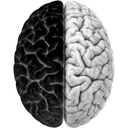
Brain.fm is one of the best-known focus music apps, with music designed to help you concentrate, relax or sleep. BrainSwitchs takes a different route: the sound lives inside your workspace. Start a Logical or Creative session and the music, beat and texture follow that mode, your timer runs, and that side of your Live brain lights up.
Product strategy, 2026
612 words · 3 min read · Edited by you
We sell to small teams first. Below is the map we drew on Monday, still live. Drag anything in it and the canvas updates everywhere.
Open questions
-
Pick a price - Who owns onboarding?
| Feature | BrainSwitchs | Brain.fm |
|---|---|---|
| Focus music | 9 original tracks for Logical, Creative and Reset | Large library across genres |
| Binaural beats for headphones | Yes, generated live | Uses its own modulation method |
| Works on speakers | Yes, gentle pulse mode | Yes |
| Pick the beat rate yourself | Presets plus any rate from 4 to 40 Hz | Activity-based settings |
| Brown and pink noise, rain, cafe, forest | Yes, each with its own volume | Some soundscapes |
| Sleep and meditation modes | Reset only | Yes |
| Canvas, pages and databases | Yes | No |
| Focus timer with session history | Tracker, Timeline and weekly balance | Timer only |
| See your sessions in a 3D brain | Yes, Live brain | No |
| Native mobile apps | Web app on any device | Yes |
Brain.fm details are based on its publicly listed features and may change. Corrections welcome.
Choose BrainSwitchs if
- You don't need a separate app: sound, timer and your work are in one tab.
- You control the exact beat rate, intensity and texture while you listen.
- Your listening time counts towards your weekly Logical and Creative balance.
Stick with Brain.fm if
- A much bigger music library, plus sleep and meditation content.
- Native phone apps with offline listening.
Moving from Brain.fm
Open the Tracker, pick Logical or Creative, and choose a preset like Deep work 16 Hz. If you liked a particular Brain.fm activity, start with the closest preset and adjust the rate.
You don't have to move everything at once. Plenty of people start with one project, see how the canvas and pages feel together, and bring the rest over later.
Other comparisons
Try BrainSwitchs alongside Brain.fm.
Join the waitlist and be among the first to try it.